Payflow logo with three diagonal, upward-sweeping lines.

Free 14-day trial. No credit card required.

Collect better feedback.
Build better products.

ClearFeedback gives your team one place to collect, understand, and act on user feedback. Capture feedback with screenshots, annotations, and technical context, then turn it into clear, actionable work with collaboration tools, roadmaps, surveys, and integrations.

person using MacBok
Pending expense approvals list with costs and options to approve or reject.
Laughing woman with long curly hair, holding a notebook.
Pending expense approvals list with costs and options to approve or reject.
Laughing woman with long curly hair, holding a notebook.
Pending expense approvals list with costs and options to approve or reject.
Painting of houses, trees, and fields in a rural landscape.
Dashboard showing Sarah's expenses, budget status, and recent transactions.
Painting of houses, trees, and fields in a rural landscape.
Dashboard showing Sarah's expenses, budget status, and recent transactions.

Feature

From customer feedback to better products.

Collect input in your product, show what you’re building, and tell customers what shipped—all in one workflow.
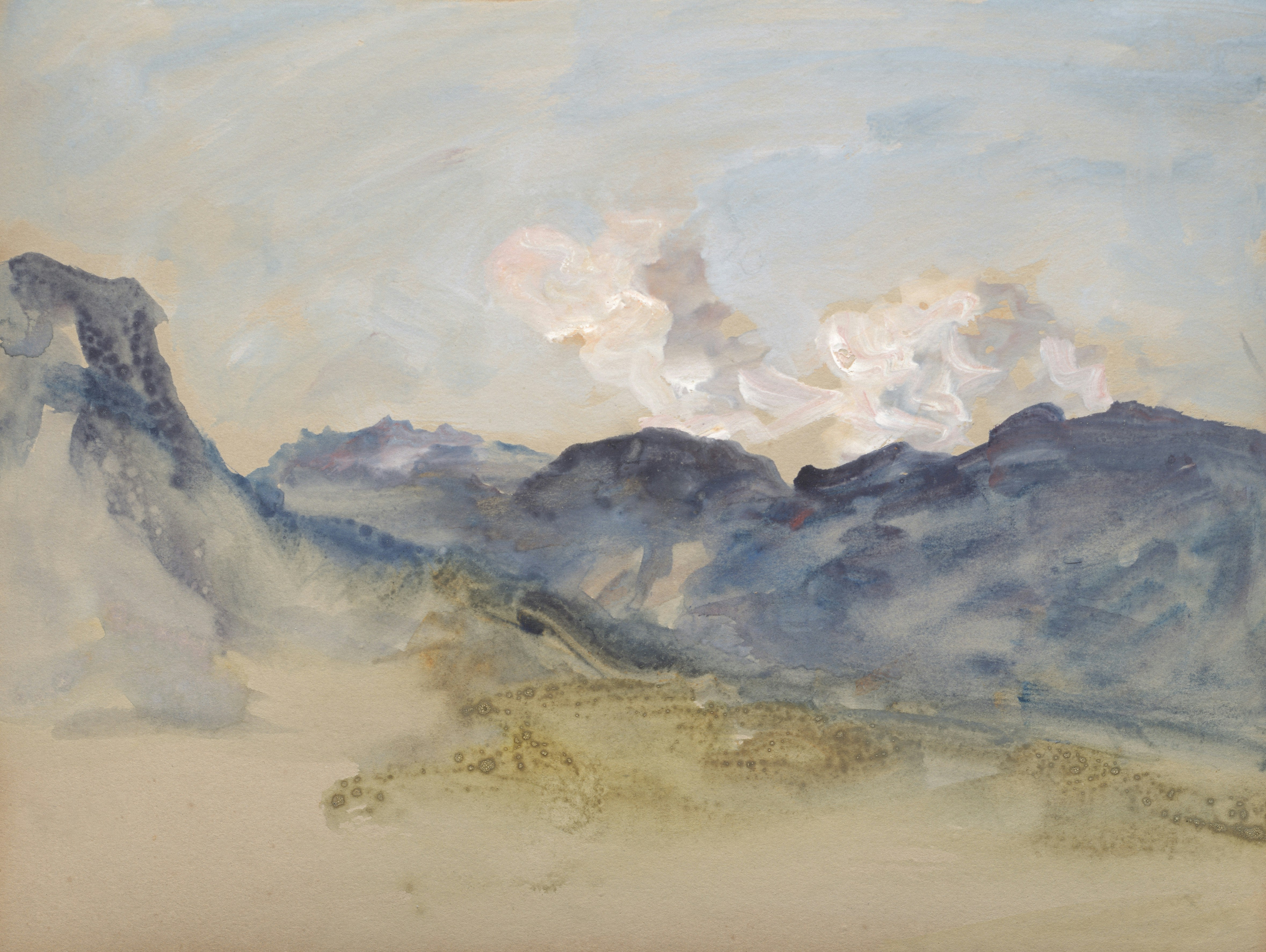
Watercolor painting of a cloudy mountain landscape.

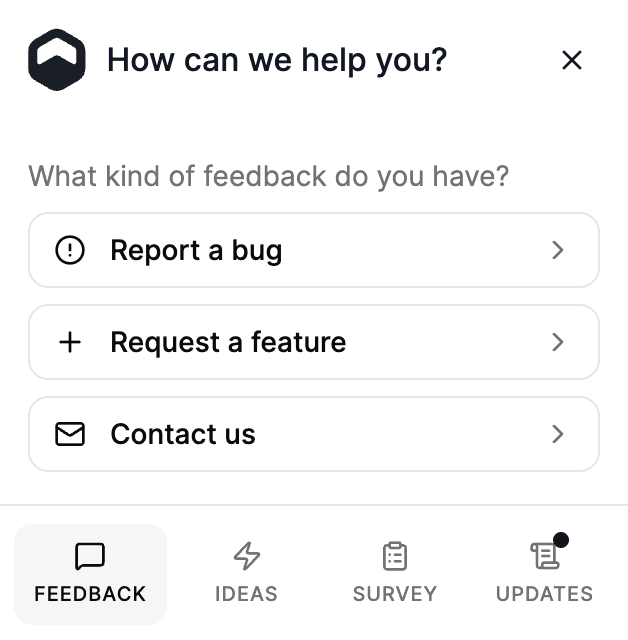
Feedback Widget

Give users a simple way to report bugs, request features, and send messages without leaving your site. Screenshots, annotations, and automatic context help your team understand every submission.

Roadmap & Ideas Board

Share upcoming features, show progress, and keep customers in the loop as ideas move from request to reality. Let people vote, comment, and see what you’re building next, on your domain.

Changelog

Publish product updates on a dedicated changelog with rich text and clear labels. Keep customers informed, and let them subscribe for when you ship something new.

Surveys

Run NPS, CSAT, polls, and open questions in the widget. See aggregated results and individual responses in the dashboard so you know how users really feel.

Watercolor landscape: calm lake reflecting mountains under a pale sky.

How it works

Everything your team needs to make feedback useful.

Everything your team needs to make feedback useful.

Capture feedback with context, collaborate seamlessly with your team, and turn customer insights into meaningful improvements—all in one place.

Capture feedback with context, collaborate seamlessly with your team, and turn customer insights into meaningful improvements—all in one place.

Capture

Collaborate

Complete

01

Capture with context

Capture screenshots, annotations and technical details alongside every submission, so your team can understand what happened.

01

Capture with context

Capture screenshots, annotations and technical details alongside every submission, so your team can understand what happened.

01

Capture with context

Capture screenshots, annotations and technical details alongside every submission, so your team can understand what happened.

Scenic view of a lush green hillside meadow with a herd of cows grazing under the warm sunlight.

02

Collaborate as a team

Assign feedback, discuss it internally and keep conversations connected to the original request. No more scattered feedback across inboxes and chat.

02

Collaborate as a team

Assign feedback, discuss it internally and keep conversations connected to the original request. No more scattered feedback across inboxes and chat.

02

Collaborate as a team

Assign feedback, discuss it internally and keep conversations connected to the original request. No more scattered feedback across inboxes and chat.

Scenic view of a lush green hillside meadow with a herd of cows grazing under the warm sunlight.

03

Close the loop

Prioritise what matters, connect feedback to your roadmap and keep customers informed as ideas move from request to reality.

03

Close the loop

Prioritise what matters, connect feedback to your roadmap and keep customers informed as ideas move from request to reality.

03

Close the loop

Prioritise what matters, connect feedback to your roadmap and keep customers informed as ideas move from request to reality.

Watercolor painting of a rolling green landscape with purple heather, cows, and hills.

Features to support your feedback loop

Feedback widget

Capture bugs, feature requests, and general messages in your product with a single embed—no redirect to another tool.

Feedback widget

Capture bugs, feature requests, and general messages in your product with a single embed—no redirect to another tool.

Public ideas board

A branded board where visitors browse ideas, upvote, and comment—while you moderate what goes live.

Public roadmap

Show planned, in-progress, and released work so customers see what you’re building and what shipped.

Public changelog

Publish product updates on a dedicated page with rich text, labels, and filters for a proper release log.

Custom domains

Host roadmap, ideas, or changelog on your own hostnames while the widget and dashboard stay on ClearFeedback.

In-product surveys

Run NPS, CSAT, polls, and open questions in the widget—then review responses in the dashboard.

Ideas in the widget

Let users submit and upvote ideas inside your app via the Community tab—connected to your public board when you’re ready.

Screenshots & annotations

Capture the current page and mark it up so your team sees exactly what the user meant.

Screenshots & annotations

Capture the current page and mark it up so your team sees exactly what the user meant.

Automatic context capture

Every submission can include page URL, browser, device, and viewport details—less back-and-forth in triage.

Automatic context capture

Every submission can include page URL, browser, device, and viewport details—less back-and-forth in triage.

Widget customization

Match your brand: colors, copy, tabs, and multiple widgets per workspace.

Feedback inbox & triage

One place to review submissions—status, priority, assignment, archiving, filters, and bulk actions.

Feedback inbox & triage

One place to review submissions—status, priority, assignment, archiving, filters, and bulk actions.

Analytics

Trends over time, breakdowns by page and browser, and survey metrics so you spot patterns quickly.

Integrations

Connect Slack, webhooks, Linear, Jira, and ClickUp—push feedback and survey events into tools your team already uses.

Email updates to submitters

Notify people by email when you reply or change status—with links back to their submission.

Email updates to submitters

Notify people by email when you reply or change status—with links back to their submission.

Changelog email subscribers

Let visitors subscribe on your public changelog and get notified when you publish, with unsubscribe built in.

Embeddable public boards

Drop roadmap, ideas, or changelog into your marketing site or docs with a simple iframe embed snippet.

Feedback widget

Capture bugs, feature requests, and general messages in your product with a single embed—no redirect to another tool.

Public ideas board

A branded board where visitors browse ideas, upvote, and comment—while you moderate what goes live.

Public roadmap

Show planned, in-progress, and released work so customers see what you’re building and what shipped.

Public changelog

Publish product updates on a dedicated page with rich text, labels, and filters for a proper release log.

Custom domains

Host roadmap, ideas, or changelog on your own hostnames while the widget and dashboard stay on ClearFeedback.

In-product surveys

Run NPS, CSAT, polls, and open questions in the widget—then review responses in the dashboard.

Ideas in the widget

Let users submit and upvote ideas inside your app via the Community tab—connected to your public board when you’re ready.

Screenshots & annotations

Capture the current page and mark it up so your team sees exactly what the user meant.

Automatic context capture

Every submission can include page URL, browser, device, and viewport details—less back-and-forth in triage.

Widget customization

Match your brand: colors, copy, tabs, and multiple widgets per workspace.

Feedback inbox & triage

One place to review submissions—status, priority, assignment, archiving, filters, and bulk actions.

Analytics

Trends over time, breakdowns by page and browser, and survey metrics so you spot patterns quickly.

Integrations

Connect Slack, webhooks, Linear, Jira, and ClickUp—push feedback and survey events into tools your team already uses.

Email updates to submitters

Notify people by email when you reply or change status—with links back to their submission.

Changelog email subscribers

Let visitors subscribe on your public changelog and get notified when you publish, with unsubscribe built in.

Embeddable public boards

Drop roadmap, ideas, or changelog into your marketing site or docs with a simple iframe embed snippet.

  • ROLE-BASED ACCESS

  • TLS ENCRYPTION

  • WIDGET ORIGIN CONTROLS

  • MODERATED PUBLIC BOARDS

  • SECURE CLOUD HOSTING

Integrations

Works with the tools
you already use.

Payflow favicon

Free 14-day trial. No credit card required.

Simple pricing

Simple pricing

No hidden fees. No surprises. Cancel anytime.

No hidden fees. No surprises. Cancel anytime.

Monthly

Annual

Save 20%

Starter

$29

per month

WHAT'S INCLUDED

Up to 5 team members

1 widget

Custom domains (roadmap, ideas, changelog)

Public roadmap, ideas & changelog

Automatically email subscribers

Slack, webhook, Linear, Jira, ClickUp integrations

Unlimited feedback

Up to 3 Surveys

Remove “Powered by”

A peaceful watercolor painting of misty hills and green pine trees under a cloudy sky, representing organic business growth.

Professional

$49

per month

EVERYTHING IN STARTER, PLUS

Unlimited team members

Up to 5 widgets

Unlimited Surveys

Monthly

Annual

Save 20%

Starter

$29

per month

WHAT'S INCLUDED

Up to 5 team members

1 widget

Custom domains (roadmap, ideas, changelog)

Public roadmap, ideas & changelog

Automatically email subscribers

Slack, webhook, Linear, Jira, ClickUp integrations

Unlimited feedback

Up to 3 Surveys

Remove “Powered by”

A peaceful watercolor painting of misty hills and green pine trees under a cloudy sky, representing organic business growth.

Professional

$49

per month

EVERYTHING IN STARTER, PLUS

Unlimited team members

Up to 5 widgets

Unlimited Surveys

FAQs

Have questions?

How do I install ClearFeedback on my site or app?

Copy one embed snippet from your ClearFeedback dashboard (Integration → Embed & widgets). Paste it into your site—typically in the <head> or before </body>—and publish. ClearFeedback works with static sites and modern frameworks. After you deploy, use our connection check in onboarding to confirm the widget loaded on your domain.

Do I need more than one snippet if I have multiple products or sites?

What can my users submit through the ClearFeedback widget?

Does ClearFeedback work on mobile?

Can I match the widget to our brand?

Where does feedback go after someone submits?

Does ClearFeedback connect to Slack, Jira, or Linear?

Can we run NPS or short surveys inside the same widget?

How does pricing work, and is there a free trial?

Who can submit feedback, and can we restrict it to our domains?

A peaceful watercolor painting of misty hills and green pine trees under a cloudy sky, representing organic business growth.

Sign up now.
Free 14-day trial.